
How to Get a Professional Headshot at Home
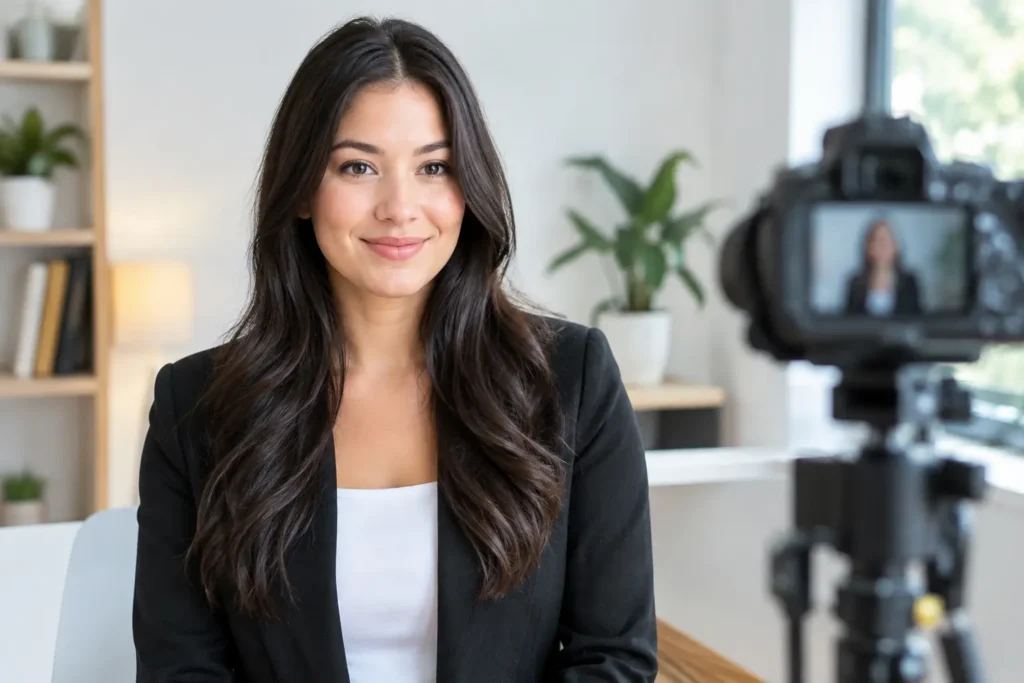
A strong headshot should make someone want to meet you, not make them wonder when the photo was taken. If you are figuring out how to get a professional headshot at home, the goal is simple: create a clear, current, confident portrait that feels like you on a very good day.
You do not need a dedicated studio, expensive camera, or complicated lighting setup. You do need thoughtful light, a clean background, and a few minutes to get comfortable in front of the camera. The details matter because a LinkedIn photo, resume photo, or business profile picture is often the first visual introduction someone gets to you.
Start With the Job Your Headshot Needs to Do
Before choosing a shirt or moving furniture, decide where the image will appear. A corporate LinkedIn headshot may call for a polished, neutral look. A freelancer, creative professional, or small-business owner can often use a little more personality through color, texture, or a relaxed setting.
The best professional headshot is not necessarily the most formal one. It is the one that matches the way you want to be perceived. If you would show up to a client call in a blazer, wear a blazer. If your work is more casual, a clean button-down, knit top, or simple solid-color shirt may feel more honest.
Keep the crop in mind as well. Most profile photos display your face at a small size, so your expression, eye contact, and lighting will matter much more than a carefully styled full outfit.
How to Get a Professional Headshot at Home With Good Light
Lighting is the difference between a home photo that looks considered and one that looks accidental. The easiest option is natural window light.
Stand facing a large window with the light landing gently across your face. Do not put the window directly behind you, which can leave your face in shadow and create a bright, distracting background. A spot just inside the room, a few feet from the window, usually gives the most flattering result.
Overcast daylight is ideal because clouds soften the sun. On a bright day, hang a sheer curtain or move slightly away from direct sunlight to avoid hard shadows. Early morning or late afternoon light can work beautifully too, but make sure it is even and not cutting across one side of your face.
If natural light is not available, use one soft, diffused lamp placed in front of you and slightly to one side. Avoid relying only on overhead room lights. They can create shadows beneath the eyes and chin that rarely look flattering in a close portrait.
Turn off other lights if they create mixed color tones. For example, a warm yellow lamp combined with cool daylight can make skin tones look uneven. One clean light source is often better than several competing ones.
Choose a Background That Stays Out of the Way
A professional background does not have to be plain white, but it should be quiet. A solid wall, a tidy corner with some depth, or a softly blurred home-office setting can all work well. Look for colors that complement your clothing without blending into it.
Remove visual clutter before you shoot. A pile of laundry, a busy bookshelf, an open door, or a bright piece of wall art can pull attention away from your face. You want the viewer to notice your expression first.
Leave some distance between yourself and the background if possible. Even with a phone camera, stepping several feet forward can make the room behind you appear less sharp and more intentional. It also helps prevent the flat, against-the-wall look that can make a headshot feel like an ID photo.
Wear Something That Frames Your Face
Choose clothes that feel polished but familiar. If an outfit is too formal for you, it can show in your posture and expression. The best option is usually something you have worn before and know fits well around the shoulders and neckline.
Solid colors are a safe choice for professional headshots. Navy, deep green, charcoal, muted blue, burgundy, cream, and soft earth tones often photograph well. Pure white can sometimes look overly bright near a window, while very dark black can lose detail, depending on the light.
Skip logos, tiny patterns, and highly reflective fabrics. Fine stripes and small checks can look distracting on camera. Jewelry should be simple enough that it supports the image rather than becoming the focal point.
Grooming matters, but perfection is not the standard. Smooth your collar, check for lint, and style your hair in a way that feels like your normal professional self. Aim for current and recognizable. A headshot should not surprise someone when you join a video meeting or walk into an interview.
Set Up Your Camera at Eye Level
A recent smartphone is more than capable of producing a good home headshot. Use the rear camera if you can, since it is often higher quality, but the front camera can still work when it helps you see your framing and expression.
Place the camera at eye level or just slightly above. Looking up at a camera positioned too low can distort facial proportions and make the image feel less polished. Stack books on a table, use a tripod, or ask someone you trust to hold the phone steadily.
Step back from the camera rather than holding it close. A little distance creates a more natural perspective. If your phone has a portrait setting, try it, but check the edges around your hair and shoulders. A poorly applied background blur can look less professional than no blur at all.
Use the timer or a remote shutter so you are not rushing into position. Taking photos in a short burst can also help you capture a more relaxed expression. You may look best in the moment after you think the picture has already been taken.
Pose for Confidence, Not Stiffness
You do not need a dramatic pose. Small adjustments make a noticeable difference. Stand or sit tall, roll your shoulders back, and turn your body slightly away from the camera. Then bring your face back toward the lens. This creates shape without looking overly posed.
Keep your chin level or slightly forward, not lifted. A gentle lean toward the camera can make the image feel more engaged. Let your arms rest naturally, and avoid pressing them tightly against your sides if they are included in the frame.
Your expression should match the context. A warm, subtle smile is a strong choice for most LinkedIn and professional profile photos because it feels approachable and capable. For more serious fields, a calm expression with relaxed eyes may be the better fit.
Take time between shots to reset. Look away, breathe, and return to the camera. Trying to hold one expression for twenty photos often produces a tense smile. A good headshot has energy, even when the pose is simple.
Take More Photos Than You Think You Need
Plan to take at least 30 to 50 frames. Change only one thing at a time: your angle, smile, shoulder position, or distance from the window. That gives you genuine options without making the session complicated.
As you review the photos, look beyond whether you like your appearance. Ask whether the image is sharp, evenly lit, and easy to understand at a glance. Is your face clearly visible? Does the background support the image? Would this feel credible beside your name on a resume, company website, or professional profile?
It helps to narrow the choices to three and revisit them later. The photo that feels slightly less dramatic but more natural is often the best long-term choice.
Refine the Final Image Without Overediting
Basic editing can improve a strong photo. Adjust brightness, crop the image to keep your face prominent, and correct color if the skin tone looks too warm or cool. Light retouching is fine, but avoid changing defining features, reshaping your face, or smoothing skin until it no longer looks like skin.
If your starting photos are good but you need a more polished portrait for a job search, personal brand, or updated profile, Pixel Studio App can help create professional-looking portraits from photos you already have. Choose source images that are clear, current, and well lit. The quality and variety of those photos will give you a more believable result.
A traditional photographer can still be the right choice when you need a specific office setting, team photos, or hands-on creative direction. But for many individual LinkedIn photos, resume headshots, and professional profiles, a thoughtful at-home session is a practical place to start.
Your best headshot does not need to look expensive. It needs to look intentional, current, and like the person people will be glad to meet.
Pronto pra criar suas próprias fotos com IA?
Envie uma foto e gere resultados profissionais em minutos, sem sair de casa.
Começar agora