
AI Photo Generator for Better Portraits at Home
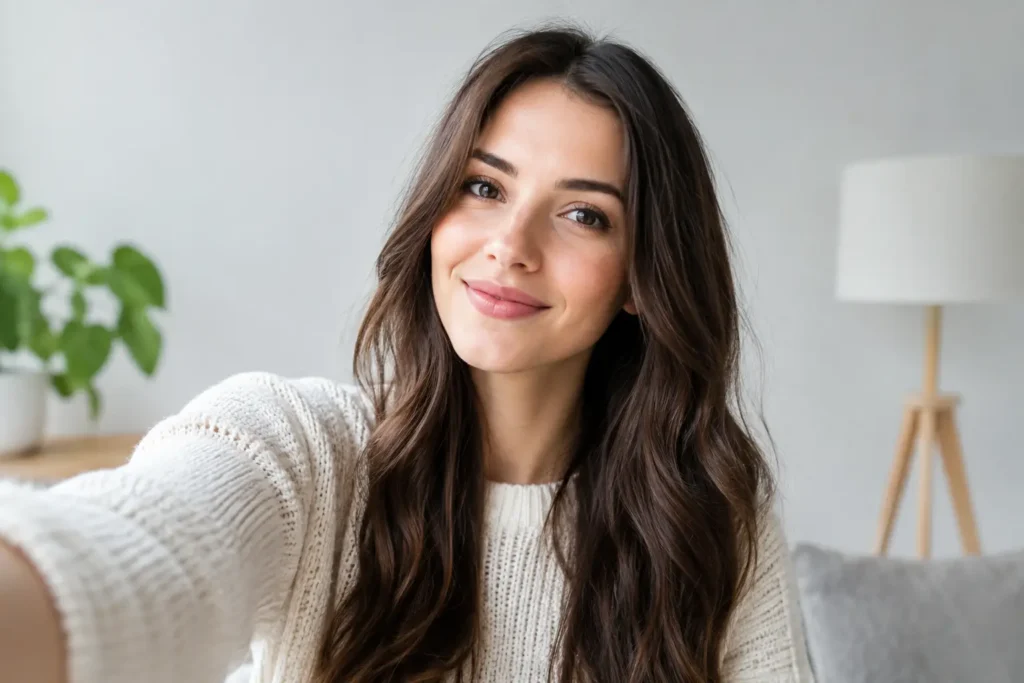
A great photo can change how you show up before you say a word. Maybe your LinkedIn profile still has a cropped vacation picture. Maybe you need a fresh profile photo, a polished portrait for your business, or family images that feel more intentional than a rushed phone snapshot. An AI photo generator gives you a practical way to create those photos from home, using a picture you already have.
The goal is not to replace every photographer or make every image look overly edited. It is to make better photography more available when you need it: for a job search, a new social profile, a personal brand refresh, or a photo session that fits your life and budget.
What an AI photo generator can help you create
For most people, the appeal is simple: you can start with a selfie or existing photo and explore polished new portraits without organizing a studio appointment. A well-chosen result can give you the composed, professional feel that is hard to capture when you are balancing a phone on a shelf and hoping for good lighting.
Professional headshots are one of the clearest uses. If you are updating your LinkedIn profile, applying for roles, speaking at an event, or building a freelance business, your photo should look current and appropriate for the work you want to do. That does not always mean stiff or overly formal. A clean, natural portrait with thoughtful styling can feel confident while still looking like you.
Profile pictures are another everyday need. Dating profiles, messaging apps, creator accounts, and community platforms all ask people to make a quick visual introduction. A flattering image with a clear expression and an uncluttered setting often does more than a heavily filtered selfie.
You can also use personalized photo creation for social media and personal branding. A coach may need a range of portraits that work across posts and bios. A small business owner may want polished photos for an about page. Someone celebrating a birthday, graduation, pregnancy, or new chapter may simply want creative portraits that feel more special than the pictures already in their camera roll.
For parents and families, the convenience can be especially useful. Coordinating outfits, naps, travel, and a photographer’s schedule is not always realistic. Personalized baby and family photo sessions can offer a simpler option for creating keepsake-style images from home. Expectations matter here: a traditional session captures a specific real moment together, while AI-created photos offer an accessible way to create a new, styled portrait experience from the photos you provide.
How to get better results from an AI photo generator
The quality of your starting photo matters because it gives the tool a clearer sense of your features. You do not need professional equipment, but you should choose an image where your face is easy to see. A recent photo in soft daylight, with your face in focus and minimal visual clutter, is usually a strong place to begin.
Choose photos that look like you now. If your hairstyle, glasses, facial hair, or overall style has changed, use newer images. The best final portrait should feel recognizable when someone meets you in person, not like a version of you from several years ago.
It also helps to match the look to the place where you will use it. A resume or corporate profile generally calls for a clean background, simple styling, and an approachable expression. A creative portfolio or social account may give you more room for personality, color, and editorial-inspired styling. The right image depends on context, not one universal definition of professional.
When reviewing generated photos, do not choose only the most dramatic option. Look closely at whether the expression feels natural, your features are consistent, and the styling supports your goal. The strongest image is usually the one that makes a good first impression without making people pause and wonder whether it is really you.
When creating photos from home makes sense
Traditional photography remains valuable, particularly for weddings, events, milestone family sessions, and situations where you need a photographer’s direction or a real location documented as it happened. There is a distinct value in working with a person who can guide posing, capture spontaneous interactions, and shape a session around a meaningful moment.
But not every photo need requires that level of planning. If you need a refreshed business portrait next week, a set of profile photo options, or a creative image for a personal announcement, arranging a full shoot may feel disproportionate to the task. Studio time, travel, scheduling, wardrobe planning, and reshoots can add up quickly.
That is where at-home photo creation is useful. You can work with photos you already own, consider different looks, and choose images on your own time. It can reduce the friction that causes many people to keep using an outdated headshot or avoid being in photos altogether.
Pixel Studio App is designed around this real-world need: helping people create personalized, professional-looking portraits and photo sessions from an existing photo or selfie. Rather than asking you to become a photography expert, it gives you a more convenient starting point for the images you need.
Choosing the right photo style for your goal
A useful way to decide what to create is to begin with the moment the photo will serve. For a LinkedIn or resume image, aim for polished and approachable. Think clear eye contact, a relaxed expression, and clothing that fits the professional environment you want to enter. A neutral or subtly styled background keeps the attention where it belongs: on you.
For personal branding, consistency matters more. If your work is warm and people-focused, a friendly, bright portrait may suit you best. If you work in a more design-led or creative field, a bolder setting or a more editorial look may be appropriate. You can create variety, but the images should still feel like they belong to the same person and the same visual identity.
For social media, use the flexibility thoughtfully. You may want a close-up for an avatar, a wider portrait for an announcement, and a few different looks to avoid repeating the same image everywhere. Variety helps, but avoid selecting a photo just because the effect is dramatic. Ask whether it reflects the version of yourself you want people to recognize.
For baby and family-focused images, favor warmth over perfection. The most meaningful result is often one that feels tender, celebratory, and believable. Choose source photos with clear faces and good lighting, then select a look that complements the occasion rather than distracting from it.
A few realistic things to keep in mind
AI-created photography is most helpful when you treat it as a creative photo option, not a substitute for every kind of camera work. It may take more than one attempt to find an image that feels right. Small details such as hands, jewelry, patterns, and accessories deserve a closer look before you use a photo publicly.
You should also be thoughtful about trust. For professional uses, choose images that are accurate enough to represent you honestly. A polished headshot can improve your presentation, but it should not create a misleading impression. Keep your look current, and update your image when your appearance or role changes.
Privacy matters, too. Before uploading personal images anywhere, understand how the service handles your photos and use pictures you are comfortable sharing. If a family image includes other people, especially children, consider their privacy as carefully as your own.
The best photo is not necessarily the most elaborate one. It is the one that fits the moment, looks like you, and helps you feel ready to be seen. If an updated portrait helps you send an application, introduce your work, celebrate your family, or finally replace that old cropped group photo, it has done something genuinely useful.
Pronto pra criar suas próprias fotos com IA?
Envie uma foto e gere resultados profissionais em minutos, sem sair de casa.
Começar agora